 Chordance
Find the chords for your next song.
Chordance writes chord progressions from the feel you set. Reshape any chord, choose how it's played, then drag the MIDI into your DAW. Free for Mac and Windows.
Free forever. No account necessary. Mac version for Apple silicon (M1 and later).
Set the feel. Press Generate.
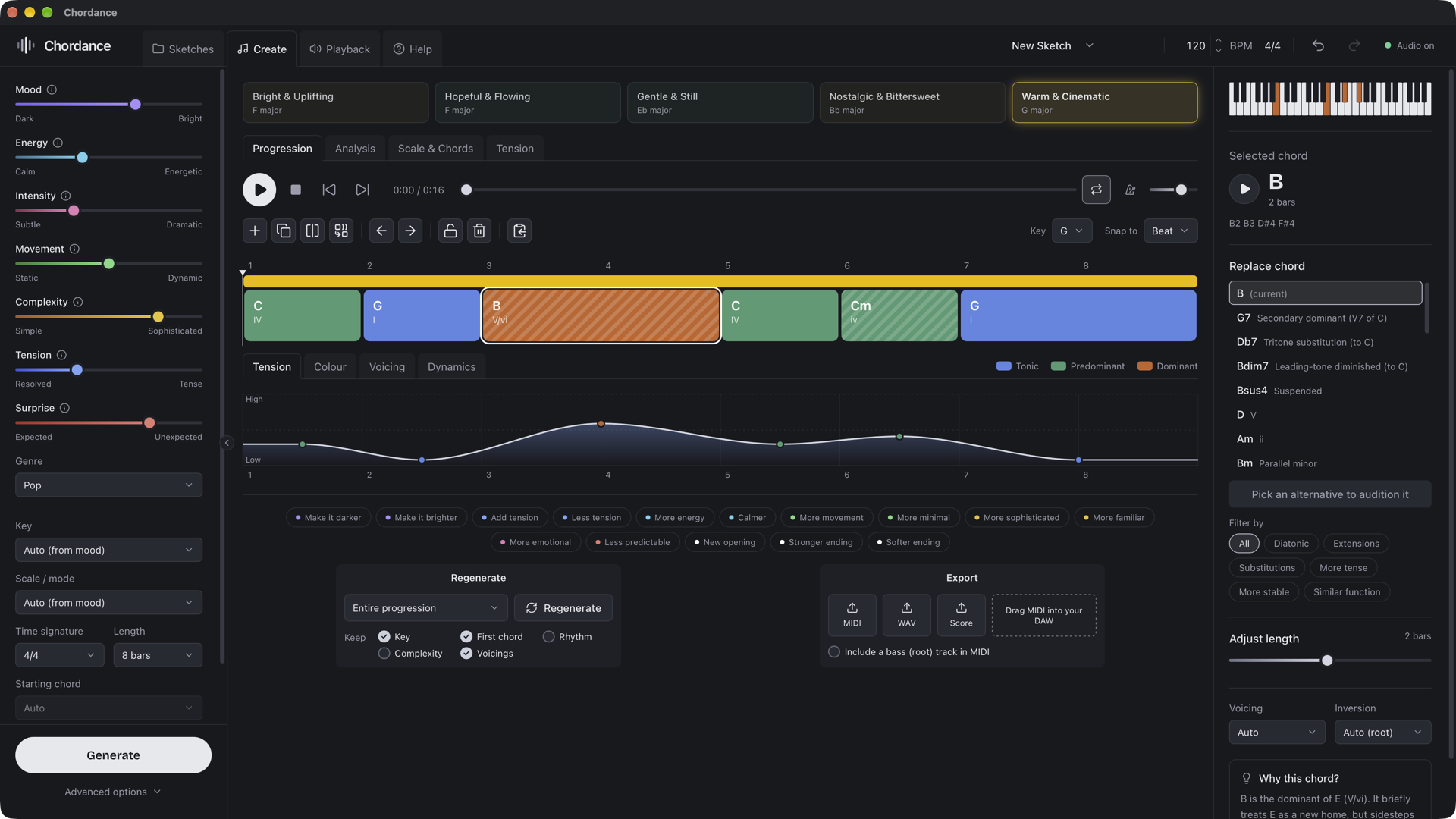
Seven sliders describe the music you're after. Each Generate gives you five different ideas to pick from.
Lean the result towards pop, EDM, folk, rock, R&B, hip hop, blues, classical and more. Each genre's chords move the way its real songs do: which chord follows which, how often they reach for sevenths, colour chords and secondary dominants, and how they start and end. Each genre also picks a matching instrument and playing style. Choose the key and mode, from major and minor to Dorian, Mixolydian and Lydian. Set the time signature and length, the starting chord, a key change, and whether the ending resolves home.
Under Advanced options, two more set how much the progression repeats or develops, and how smoothly the notes move from chord to chord.
See what every chord is doing.
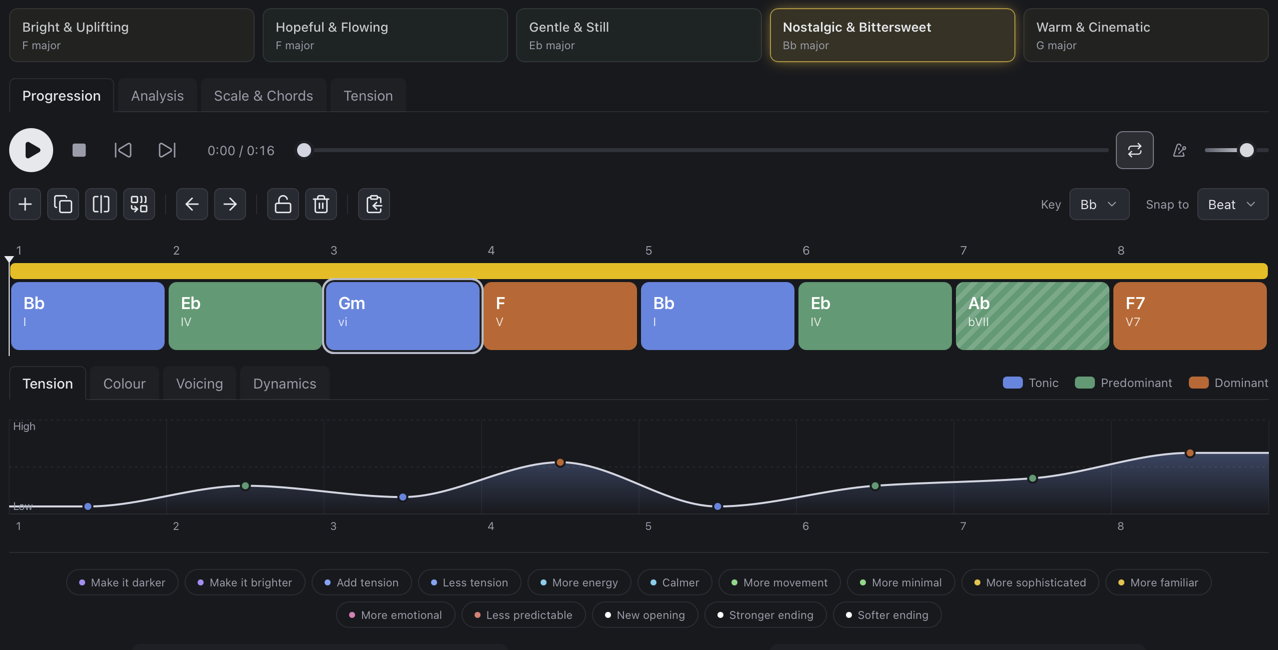
Chords are coloured by the job they do in the progression, so you can read its shape at a glance.
Home. The chords a progression settles on.
Moving away, building towards the pull back.
Pulling back home, wanting to resolve.
From outside the key: secondary dominants, borrowed and chromatic chords.
Why this chord?
A7 is a secondary dominant of Dm. It borrows C♯ from outside C major to pull hard towards Dm, the chord that follows it.
The Analysis, Scale & Chords and Tension views show the progression's roman numerals, cadences, borrowed chords and release points.
Replace chord
- G7sus4Suspended
- D♭7Tritone substitution
- B♭9Backdoor dominant
- Bm7♭5Similar function
- Dm9Clashes: repeats the chord before
Reshape it without starting over.
Push the whole progression in one direction, or rewrite just the parts you don't like yet.
Lock the chords you love and Regenerate writes around them: the whole progression, one chord, everything before or after it, the beginning or the ending. Insert, split, merge and stretch chords on the timeline, and move it to another key.
Every change to the chords can be undone, even a whole Generate or Regenerate: 100 steps back, and the last 30 are saved with your sketch, so undo still works after you reopen it.
Regenerate the middle: dimmed chords stay as they are, so you can see what will change before you press it.
Everything on one screen.
Select a chord to see its notes, try alternatives in place, change its length, voicing and inversion, and read why it's there.
Take it into your music.
Drag the MIDI straight into Logic, Ableton or any other DAW, or copy the chord names to paste beside your lyrics.
Saved as you go
Every progression is a sketch, saved automatically. Browse, rename and duplicate them, or open one from anywhere.
Keep the ideas you like
Pin an idea and the next Generate leaves it in place. Each idea keeps its own edits.
Fast from the keyboard
G generates, Space plays, R regenerates, K locks a chord and E saves the MIDI.
Runs entirely on your computer.
The harmony engine works offline. No internet connection, no AI and no account, so your ideas stay yours.
Download Chordance
Free for macOS on Apple silicon (M1 and later) and for Windows. Updates install themselves.
First launch on a Mac: open the app once, then go to System Settings, Privacy & Security and click Open Anyway.
On Windows: if SmartScreen appears, click More info, then Run anyway.
Free to use, kept going by coffee.
There's no subscription and no paid tier. If Chordance has helped you write something, a coffee helps pay for new features.